
Automations
Reminders & notifications
Suiviro sends three kinds of messages: client reminders (booked, reminder, rescheduled, review), staff schedules (today's jobs), and internal notifications (inbox, failures, end-of-day nudges). Everything lives on one tabbed page at Settings → Automations → Notification Settings.
Channels tab
Turn SMS and email on or off across the business. SMS sending needs any paid plan. Included allowances: Starter 50, Growing 200, Professional 450, Professional Plus 800. Extra Australian SMS beyond your allowance are charged at $0.15 each on the next invoice - see Billing → How SMS billing works.
Defaults tab
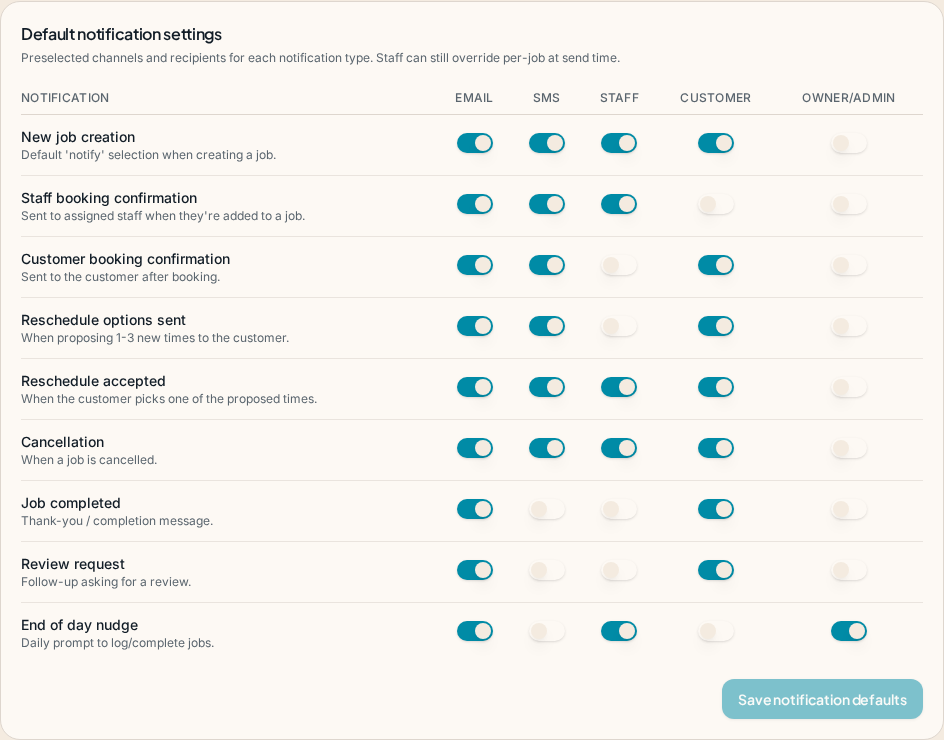
Set the reminder behaviour that applies to every client unless they've overridden it on their own file. Toggles cover booked confirmations, the reminder, reschedule notifications and the post-completion review request.
Schedule tab
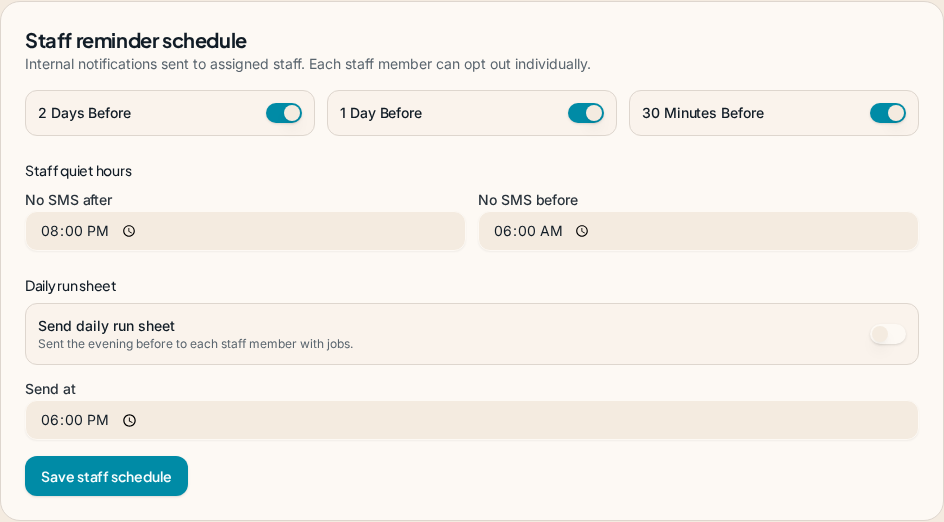
Choose when reminders go out: typically 24 hours before, but you can stack a second reminder closer to the appointment, or send the day-of in the morning. Sending is paused during the client's quiet-hours window.
Templates tab
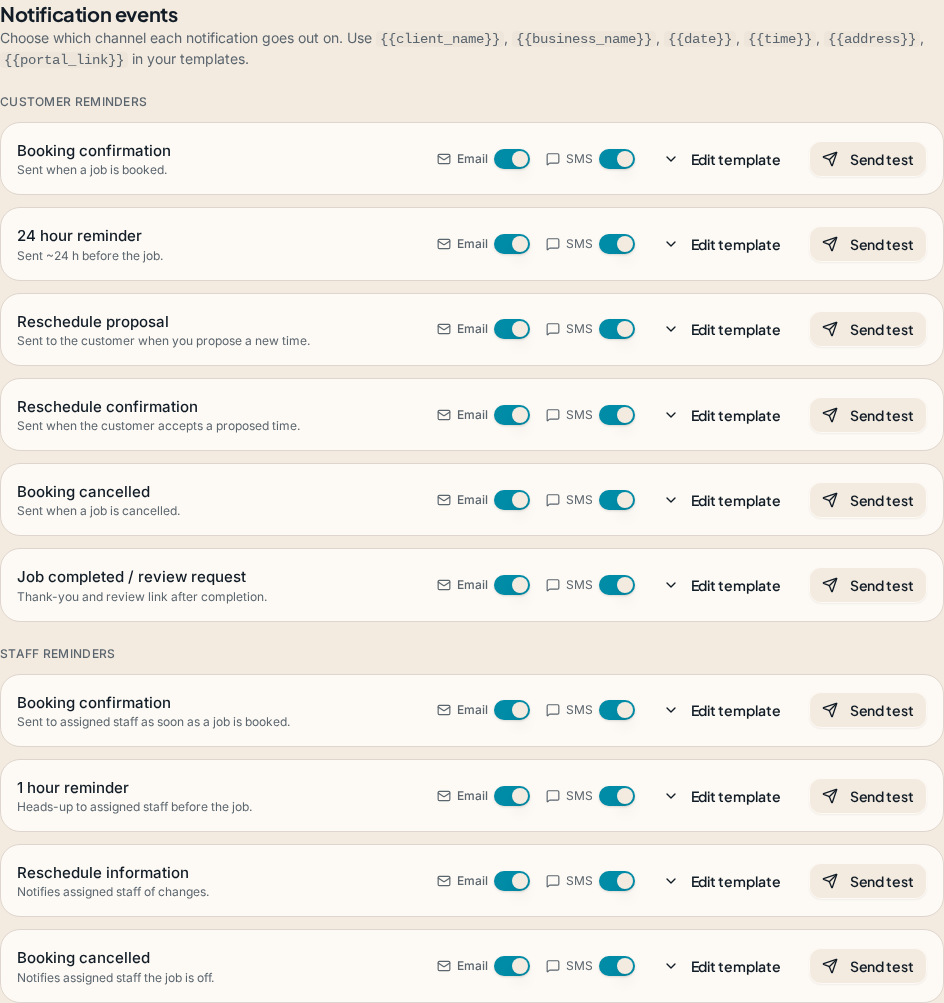
Edit the exact wording for each message type. Variables in curly braces are replaced when the message is sent - for example {{client_first_name}}, {{start_time}}, {{business_name}} and {{portal_link}}. A live preview shows exactly what the client will see.
Reviews tab
After a job is marked completed, Suiviro can ask the client for a review and (optionally) deep-link them to your Google Business Profile. Disable it per-client or globally.
Failure alerts
If a reminder can't be delivered (wrong number, bounced email, network issue) Suiviro sends a short summary email to the business owner. You'll spot problems before your clients do.
End-of-day nudge
At 5:30pm staff with unlogged jobs receive a quick email with a one-tap "Mark all attended" link. See Scheduling for details.